AI Engineering
MCP Apps: When Your Server Ships the Interface
MCP tools returned text. MCP apps return interactive UI rendered inside the host. What that changes for architecture, trust boundaries and state.
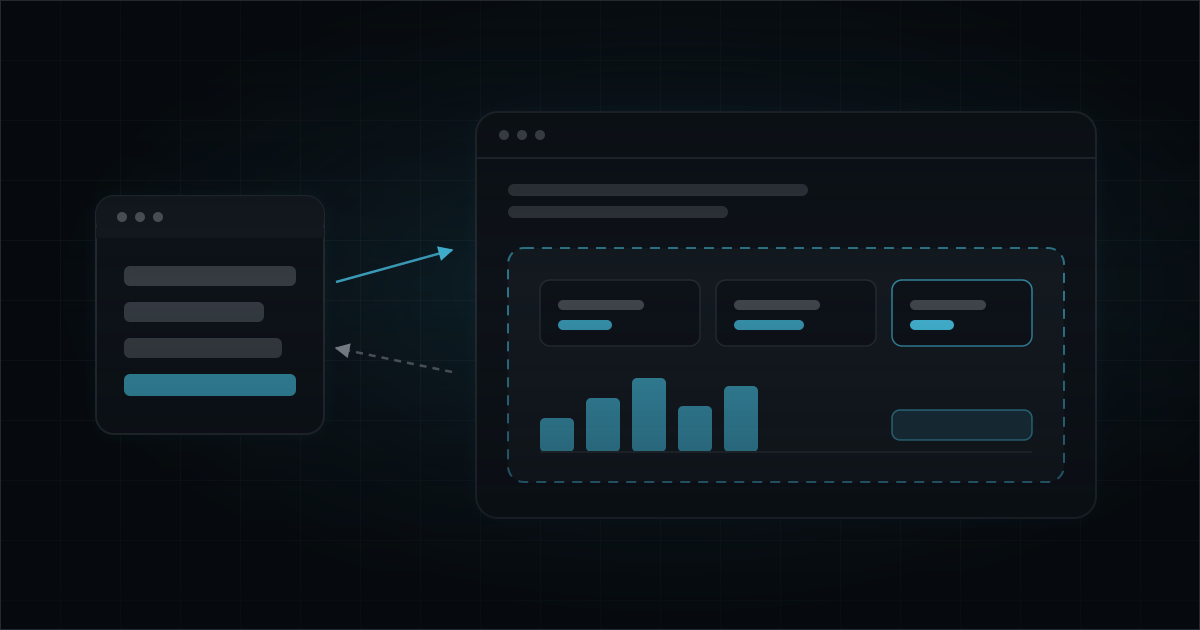
The Model Context Protocol started with a narrow, sensible contract: servers expose tools, resources and prompts, the model calls them, and results come back as text or structured data. Everything the user saw was rendered by the model, in prose.
That contract has widened. Hosts now render interfaces that servers supply — a picker, a map, a form, a chart — inside the conversation, with the user clicking rather than describing. OpenAI’s Apps SDK shipped this on top of MCP, Anthropic’s Claude apps do the same, and the pattern is converging on a shared extension to the protocol. The details are still moving; the architecture underneath is stable enough to design against.
It is a bigger change than it first appears. Your server just acquired a front end, and with it a trust boundary it did not previously have.
The Shape of It
The mechanics are consistent across implementations, even where the exact field names differ:
- A tool declares that its output has an associated UI resource, referenced by a
ui://URI. - The server serves that resource — self-contained HTML, with its CSS and JavaScript inlined.
- When the model calls the tool, the host renders the HTML in a sandboxed iframe inside the conversation, and passes it the tool’s structured result.
- The iframe talks to the host over
postMessage: reading its data, calling other tools on the same server, and telling the host when something changed.
// Illustrative — the extension is still evolving, check the current spec
server.registerResource('ui://invoice/reconcile', async () => ({
  mimeType: 'text/html',
  text: RECONCILE_UI_HTML, // self-contained: no CDN, no external fetch
}));

server.registerTool('reconcileInvoice', {
  outputSchema: ReconcileResult,
  // Binds the tool's result to the UI that renders it
  meta: { outputTemplate: 'ui://invoice/reconcile' },
}, async (args) => ({
  structuredContent: await reconcile(args.invoiceId),
}));
Note what step 4 means: the UI is not a static render of the result. It is a live client that can invoke your tools. That is what makes apps useful, and it is where the engineering gets interesting.
Two Consumers, One Result
Your tool result now has two audiences with different needs. The model needs a compact, factual summary so it can reason and answer follow-up questions. The UI needs the full structured payload so it can render.
Serve both, deliberately:
- Structured content — the complete result the interface renders from.
- Text content — a short natural-language summary for the model’s context.
Get this wrong in the obvious direction and you dump a 40KB JSON blob into the context window on every call, paying for tokens the model does not read. Get it wrong the other way and the model cannot answer “which of those was cheapest?” because it never saw the numbers, only the fact that a table was rendered.
The summary should contain what a follow-up question would plausibly need. Not the pixel data — the facts.
The Trust Boundary Moved
This is the part worth slowing down for.
Your UI is untrusted code executing in the user’s client, and it renders data that may have passed through a model or a third-party API. Both directions of that sentence are hostile.
Inbound to the iframe. Content rendered in your UI can carry injected instructions or scripts. Escape everything, never build DOM with string concatenation, and set a Content Security Policy that forbids external loads. Self-contained means self-contained: no CDN scripts, no remote fonts, no analytics beacon. Hosts enforce this to varying degrees; do not rely on the host to save you.
Outbound from the iframe. Every call the UI makes back into your server arrives over the same session as the model’s calls, and carries exactly as much authority as you grant it. It is a request from a browser context you do not control.
So: no ambient credentials in the HTML, ever. No API keys, no bearer tokens, no tenant identifiers you then trust. Re-authorise every call server-side against the session’s authenticated identity — MCP’s OAuth 2.1 flow gives you one, use it. And keep destructive operations off the UI’s reachable surface unless they are explicitly confirmed and audited.
// ❌ The iframe tells you who it is
async function deleteDraft({ draftId, tenantId }) {
  return db.delete(draftId).where({ tenantId });
}

// ✅ The session tells you who it is
async function deleteDraft({ draftId }, ctx) {
  const tenant = await requireTenant(ctx.session); // server-side, every call
  return db.delete(draftId).where({ tenantId: tenant.id });
}
The rule is the same one that governs any browser client: the client is a rendering surface and an input device. It is not an authority.
State Lives in Three Places
An app has state in the server, in the iframe, and in the conversation — and users move between them freely. They will click a filter in your UI and then ask the model a question about what they are looking at.
Decide explicitly where the truth lives. The workable default:
| State | Home | Why |
|---|---|---|
| Domain data | Server | Single source of truth, survives re-render |
| Ephemeral view state (scroll, expanded rows) | Iframe | Never needs to leave the client |
| Selections that change the answer | Server, via a tool call | The model must be able to see them |
That last row is the one teams get wrong. If a user changes something in the UI and the model’s context does not learn about it, the next answer contradicts what is on screen. When a UI interaction changes the meaning of the result, it should go back through a tool call so the change lands in the conversation, not just in the DOM.
Assume the iframe can be torn down and recreated at any point. Anything that must survive that is server state.
When Not To Build One
Apps are more expensive than tools: more code, a real trust boundary, host-specific rendering quirks, and a UI you now have to maintain across spec revisions. They earn that cost when the interaction is genuinely spatial or multi-step:
- Choosing among options that need side-by-side comparison
- Direct manipulation — cropping, ordering, drawing a boundary on a map
- Multi-field confirmation before a consequential write
- Dense results where scanning beats reading
They do not earn it when the answer is a sentence, a number, or a five-row table. Prose is faster to produce, cheaper to run, works in every host, and does not break when the extension changes. Ship the tool first. Add the interface when you have watched real users struggle without one.
There is also a middle option worth remembering: MCP’s elicitation flow lets a server request structured input from the user mid-call without shipping any UI at all. For “which of these three?” that is usually the right tool.
Building for a Moving Target
The UI extension is the newest part of MCP and it is still changing. Two defences are worth the effort now:
Keep the UI thin. Business logic belongs in tools, not in the iframe. If the rendering layer is a dumb view over structured content, a spec change costs you a rewrite of the view and nothing else.
Degrade honestly. A host that does not support UI resources will fall back to your structured and text content. That path should still work — the tool should be useful without its interface. If it is not, you have built an app that happens to expose tools, and you have narrowed where it can run.
Summary
MCP apps are the protocol growing a presentation layer, and they are a genuine improvement for interactions that were always awkward to describe in prose. But shipping UI from your server means shipping a trust boundary: the interface is untrusted code with no authority of its own, every call it makes needs server-side authorisation, and state that matters belongs on the server. Build the tool first, add the interface when the interaction demands it, and keep the view thin enough that the next spec revision is cheap.
Frequently Asked Questions
What is an MCP app?
An MCP server that returns interactive UI alongside tool results. Instead of the model describing a result in prose, the server ships an HTML resource that the host renders in a sandboxed iframe, and that UI can call back into the server's tools.
How is an MCP app different from a normal MCP server?
A normal server exposes tools, resources and prompts that return structured data for the model to read. An app additionally declares UI resources — HTML the host renders directly — so the user interacts with a real interface instead of reading a rendered summary.
When should you build an MCP app instead of plain tools?
When the output is genuinely interactive or spatial — picking a seat, cropping an image, comparing options side by side, confirming a multi-field form. If the answer is a sentence or a small table, prose is faster and cheaper than an interface.
What are the security considerations for MCP apps?
The UI is untrusted code running in the user's client. It must stay in a sandboxed iframe with no ambient credentials, every call it makes back into the server must be re-authorised server-side, and any content it renders that came from a model or a third party must be treated as hostile input.